Webroot, Antivirus & security
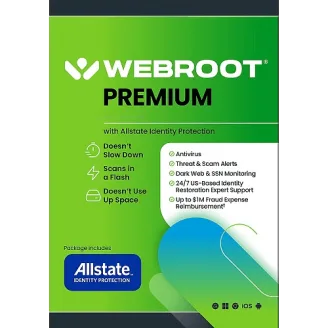
Webroot Premium with Identity Protection – 1 Year
Webroot Premium, 1 year: antivirus plus identity monitoring and restoration support from Allstate Identity Protection.
- Subscription: 1 year from activation
- Covers See device count in your order confirmation (Windows, Mac (macOS), Android, iPhone/iPad (iOS))
- Key sent on WhatsApp after payment. Download from Webroot’s official site.
- Questions first? Email our team
| Edition | Premium |
|---|---|
| Version | Current version |
| Works on | Windows, Mac (macOS), Android, iPhone/iPad (iOS) |
| License type | Subscription |
| Subscription term | 1 year from activation |
| Devices | See device count in your order confirmation |
Overview
Webroot Premium pairs Webroot's antivirus with identity protection from Allstate: dark web monitoring, identity restoration help and fraud expense reimbursement as described in the publisher's plan terms.
What’s included
- Webroot Internet Security Complete features
- Identity monitoring and alerts
- Identity restoration support
- Coverage per the publisher's plan terms
Specifications and license terms
| Product | Webroot Premium with Identity Protection – 1 Year |
|---|---|
| Publisher | Webroot |
| Edition | Premium |
| Version | Current version |
| Works on | Windows, Mac (macOS), Android, iPhone/iPad (iOS) |
| License type | Subscription |
| Subscription term | 1 year from activation |
| Devices | See device count in your order confirmation |
| Users | 1 user / household |
| Account | Activated with a Webroot keycode and identity-protection enrollment |
| Delivery | License key or activation code on WhatsApp after payment is confirmed |
| Restrictions |
|
System requirements
- Windows 11/10, recent macOS, Android or iOS
- U.S. residency for identity-protection enrollment
Requirements are set by Webroot and can change with new releases. Check the publisher’s site for the latest list.
Download and activation
Download from webroot.com/safe.
- Go to webroot.com/safe and download the installer.
- Enter the keycode from your order message.
- Follow the link in the app to enroll in identity protection.
Delivery, support and refunds
Delivery. This is a digital product. Send your order to us on WhatsApp from the checkout page. We confirm availability, agree the payment method with you, and send the activation code and these instructions in the chat once payment is confirmed. Nothing is shipped. How delivery works
Support. If installation or activation doesn’t work, email support@trustikeys.shop with your order number and the exact error message.
Refunds and cancellations. Digital keys can’t be returned once revealed and activated. Requests for unused keys, and keys that can’t be activated, are handled under our refund policy.
Frequently asked questions
When does the subscription term start?
Can I add the code to an existing subscription?
Will it conflict with my current antivirus?
Related products
- Unlimited devices for one person
- Subscription