Webroot, Antivirus & security
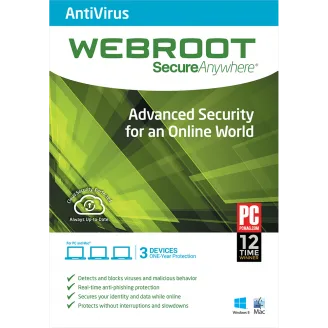
Webroot SecureAnywhere AntiVirus – 1 Year
Webroot SecureAnywhere AntiVirus for 3 PCs or Macs, 1 year. Cloud-based and light on system resources.
- Subscription: 1 year from activation
- Covers 3 devices (Windows, Mac (macOS))
- Key sent on WhatsApp after payment. Download from Webroot’s official site.
- Questions first? Email our team
| Edition | AntiVirus |
|---|---|
| Version | Current version |
| Works on | Windows, Mac (macOS) |
| License type | Subscription |
| Subscription term | 1 year from activation |
| Devices | 3 devices |
Overview
Webroot runs its scanning in the cloud, so it installs in seconds and uses very little disk space or memory, a good fit for older or lower-powered computers.
What’s included
- Real-time antivirus and anti-ransomware
- Phishing and malicious website blocking
- Firewall and network monitor
- Use on 3 PCs or Macs
Specifications and license terms
| Product | Webroot SecureAnywhere AntiVirus – 1 Year |
|---|---|
| Publisher | Webroot |
| Edition | AntiVirus |
| Version | Current version |
| Works on | Windows, Mac (macOS) |
| License type | Subscription |
| Subscription term | 1 year from activation |
| Devices | 3 devices |
| Users | 1 user / household |
| Account | Activated with a Webroot keycode |
| Delivery | License key or activation code on WhatsApp after payment is confirmed |
| Restrictions |
|
System requirements
- Windows 11/10 or recent macOS
- Internet connection
Requirements are set by Webroot and can change with new releases. Check the publisher’s site for the latest list.
Download and activation
Download from webroot.com/safe.
- Go to webroot.com/safe and download the installer for your computer.
- Run it and enter the 20-character keycode from your order message.
- Follow the prompts to finish setup and run the first scan.
Delivery, support and refunds
Delivery. This is a digital product. Send your order to us on WhatsApp from the checkout page. We confirm availability, agree the payment method with you, and send the activation code and these instructions in the chat once payment is confirmed. Nothing is shipped. How delivery works
Support. If installation or activation doesn’t work, email support@trustikeys.shop with your order number and the exact error message.
Refunds and cancellations. Digital keys can’t be returned once revealed and activated. Requests for unused keys, and keys that can’t be activated, are handled under our refund policy.